Collect 1 Million Coins Updates
Known patch history, what each update can change, and how this wiki stays aligned.
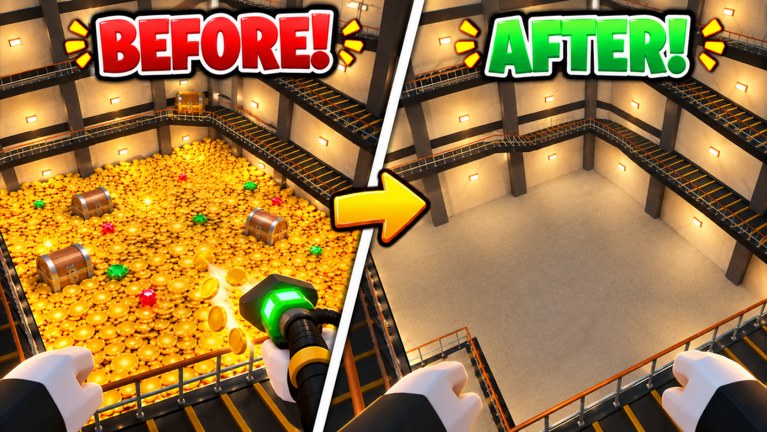
The Updates Hub tracks what changed in Collect 1 Million Coins so your dig plan does not rely on outdated tool advice. This Roblox incremental by c1z studio is free-to-play, caps servers at 20 players, and centers on digging a vault coin mountain with Hands, Shovel, Vacuum, Drill, and Magnet while chasing gems, chests, the Giant Coin, and cleaner clear times.
Because the experience is still young, patch notes may land as Roblox “last updated” stamps, group shouts, or short in-game banners rather than a long Steam-style changelog. We translate those signals into practical wiki checks across Guides, the Tier List, Codes, and Scripts.
Known patch history
| Date | Note |
|---|---|
| 2026-10-11 | Experience created / released — Collect 1 Million Coins goes live as a cozy dig-and-collect incremental |
| 2026-11-11 | Last updated stamp observed on the Roblox game page — treat as the latest platform-side refresh at time of writing |
Exact bullet lists for every micro-fix are not always published publicly. When c1z studio posts clearer notes, this hub expands with dated sections. Until then, use the dates above as the factual backbone and verify numbers in-game after each refresh.
What to watch in every update
Not every Roblox “Updated” ping rewrites the meta. Focus on systems that change how you spend coins and gems:
- Tool balance — Dig Strength, Speed, or price changes for Hands / Shovel / Vacuum / Drill / Magnet can reorder the Tier List.
- New floors or vault layouts — Pathing advice in How to Clear the Vault may need a rewrite.
- Gems, chests, Giant Coin — Drop rates or UI tweaks belong in Gems and Chests.
- Clear-time scoring — Timer rules affect Speedrun Clear Times.
- Promo codes — Milestone updates often ship gift strings; we only list verified ones on the Codes Hub (none confirmed yet).
- Anti-cheat / remote changes — May break community scripts; we still list no verified scripts on the Scripts Hub for place
101083303356822. - Party / server behavior — Etiquette tips on the Players Hub matter more if population caps or soft collision change.
How this wiki tracks changes
Our workflow after a suspected patch:
- Note the Roblox Updated date and any c1z studio group shout.
- Spot-check tool shop prices and dig feel in a live server.
- Adjust English source pages (this hub first, then guides and tiers).
- Keep facts aligned: release status remains released, co-op remains online multiplayer.
- Refuse rumor codes/scripts until they redeem or run on this exact place ID.
Players should still skim the official game page description after big content drops. Wiki pages aim for practical routing and upgrade order—not a verbatim mirror of every platform telemetry blip.
Suggested post-update checklist for players
Use this ten-minute routine whenever the experience refreshes:
- Rejoin a fresh server (old instances can hide shop changes).
- Open the tool shop and compare Strength/Speed costs to your notes from Tools & Upgrades.
- Run one untimed vault dig to feel swing timing.
- Check UI for a new Codes button; if present, compare strings only against this wiki’s Codes list.
- Skim chat for exaggerated claims; verify before rebuilding your entire loadout.
- Log a timed clear if you care about competition (speedrun guide).
- Tell teammates on the Players Hub playbook if roles need swapping (breaker vs Magnet cleaner).
Roadmap-style expectations (not promises)
Community wishlists for dig incrementals often include deeper prestige layers, more tools, seasonal chests, quality-of-life Magnet toggles, and official code drops. Treat those as possibilities, not scheduled features, until c1z studio announces them. This hub will not invent a fake roadmap graphic.
What we will do:
- Date-stamp major confirmed changes here
- Retune S/A/B tool ranks when numbers shift
- Expand beginner onboarding in Getting Started if the tutorial flow changes
- Keep legal progression advice ahead of risky automation hype
Linking the rest of the wiki after a patch
| If the update touched… | Read next |
|---|---|
| Early shop / onboarding | Getting Started |
| Vault pathing | How to Clear the Vault |
| Upgrade math | Tools & Upgrades |
| Loot | Gems and Chests |
| Ranked tools | Tier List |
| Timed clears | Speedrun Clear Times |
| Gifts | Codes |
| Automation rumors | Scripts |
Bottom line
Created 2026-10-11. Last updated 2026-11-11. Between those anchors, play the live build, spend according to current tool tiers, and return here when the mountain feels different. Cozy incrementals evolve in small shop tweaks as often as big trailers—your clearest advantage is noticing those tweaks early and adjusting Dig Strength versus Speed before the whole server catches on.
Frequently Asked Questions
Quick answers for vault diggers and clear-time chasers.
When did Collect 1 Million Coins release?
The experience was created on 2026-10-11. It is free-to-play on Roblox with servers up to 20 players.
What is the latest known update date?
The Roblox page showed a last updated stamp of 2026-11-11 at the time we recorded history here. Always recheck the live game page.
Do updates add codes automatically?
Not always. Some patches ship promos, many do not. We only publish codes after they redeem in this exact game.
Will tool tiers change after balance patches?
Yes. Strength, Speed, or price edits can move Vacuum, Drill, or Magnet between S and A. Recheck the Tier List Hub after notable updates.
Where should I look besides this hub?
c1z studio group shouts, the Roblox experience description, and in-game banners. Then verify details inside a fresh server.